


3. Setup Polar H10#
3.1. References#
This application is made possible by the previous work of following projects:
Brammer et al. (@JanCBrammer | OpenHRV)
3.2. Requirements#
3.2.1. Hardware#
Polar H10
Bluetooth 4.0 or later module (e.g. via USB)
3.3. Installation#
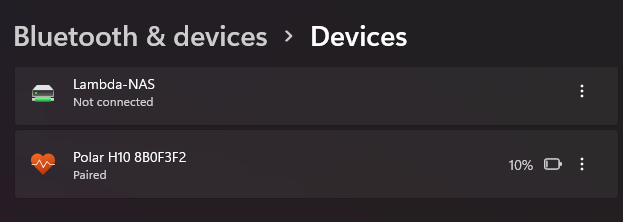
Pair Polar H10 in windows 10/11 bluetooth settings.
Start the application.
3.4. Usage#
Start the application, after ~2-5 seconds all data become visible after ~2-10 seconds as timeseries plots.
When all timeseries plots are available the recording can be started by pressing “#” or via button.
3.5. Executable (pyinstaller bundling)#
To bunde the application to a portable .exe on windows with following steps:
If not already created/installed:
python -m venv venv
.\venv\Scripts\activate
pip install -r requirements.txt
Bundling:
cd Polar
pyinstaller --clean --onefile --add-data "PolarH10.py;." PolarH10app.py
The bundled .exe can be found in the dist folder after finish.
The documentation of the pyinstaller what the arguments are used for can be found here: Pyinstaller Docs